
Client Side Forensic Utility With Zero Data Upload
Free Audio Edit Detector
Find out what a recording can tell you before anyone relies on it. The detector reads the container and encoder records, compares the format the file declares with what the stream carries, scans the frame headers or chunks across the whole file, then listens the way an examiner does: a waveform and spectrogram you scrub, splice candidates where the waveform, the phase or the background noise breaks, runs of silence and offset steps, a lossy history reading and a trace of the mains hum, all written into a report you can hand to counsel. The recording never leaves your computer. This tool is in beta.
Beta
Open the audio edit detector workbench
Choose the recording and anything that came with it
Select the recording you were given: a voice memo, a call export, a dictation file, a meeting recording or the audio track of a video. When a second recording of the same event exists, add it as the reference and the detector aligns the two. The workbench hashes the supplied bytes, reads the container and codec records, scans every frame header or chunk, decodes the audio with the browser and runs the signal tests in the page. Nothing is uploaded; the parser and the page are the only things that download.
Zero Upload Local Browser Processing
Supported formatsWAV, FLAC, MP3, AAC in M4A and MP4, Ogg Vorbis and Opus, WebM and MKV audio, and the audio track of MP4, MOV and WebM video
Size limit64 MiB per file and the first 20 minutes of audio analyzed per pass, with coverage recorded
EngineMediabunny container reader, browser Web Audio decoding and GDF signal tests in the page
The container is identified from the file bytes, not the extension. Decoding depends on the codec and your browser; a format the browser cannot decode still returns the container records, the hash and the header scan, with the signal layer marked unavailable.
Keep the original and check a working copy. Decoding depends on the actual codec and your browser.
A second recording lets the tool report where the two drift apart; adding it does not establish that either is authentic.
Choose a recording. A second recording of the same event is optional.
Notes are your observations, not verified findings. They appear in the Analyst Observations box of the locally saved report.
Start with what the file says about itself
Every recorder and every encoder writes a description of the audio into the file before the audio itself: the container, the sample rate, the bit depth, the channel layout, and for a compressed stream the encoder's name and the delay and padding it added at the start and end. The detector reads those declarations and then reads what the stream carries. A WAV whose header promises 24 bits while every sample sits on a 16 bit grid, an MP3 whose frames run at a different sample rate from its tag, an AAC file whose encoder delay does not match the encoder named in its tags, or a file whose declared duration differs from the audio that decodes, each is a question for the custodian before it is an indicator.
Encoder strings tell you which program last wrote the file, which is often not the device that recorded it, and a recording that has passed through a messaging service, a transcription tool or an editor usually says so here. When the declaration and the stream disagree, the provenance card says so plainly and names what to ask for: the original file from the device, its native format and the application that produced it. If the answer matters to a deadline, a senior examiner can tell you on a free first call exactly what to request and how to preserve it.
Read the structure before the sound
A compressed recording is a sequence of frames, and each frame header repeats the encoder's settings. The detector scans every frame header in an MP3 or AAC stream and every page in an Ogg file for the bitrate, the sample rate, the channel mode and the layer, and reports every point where they change, every place the scanner lost synchronization and had to search for the next frame, and the bitrate profile across the whole file. For a WAV or FLAC it reads the chunk or metadata block order and sizes and checks that the declared sizes agree with the file.
An editor that joins two files encoded with different settings leaves a header change at the seam; an editor that re encodes everything leaves one set of headers and a new encoder string. Variable bitrate encoding changes the bitrate honestly on every frame, so the profile chart is read for steps, not for variation. The structure table lists each change with its byte offset and its time so the signal layer can look there first.
Listen where the structure points
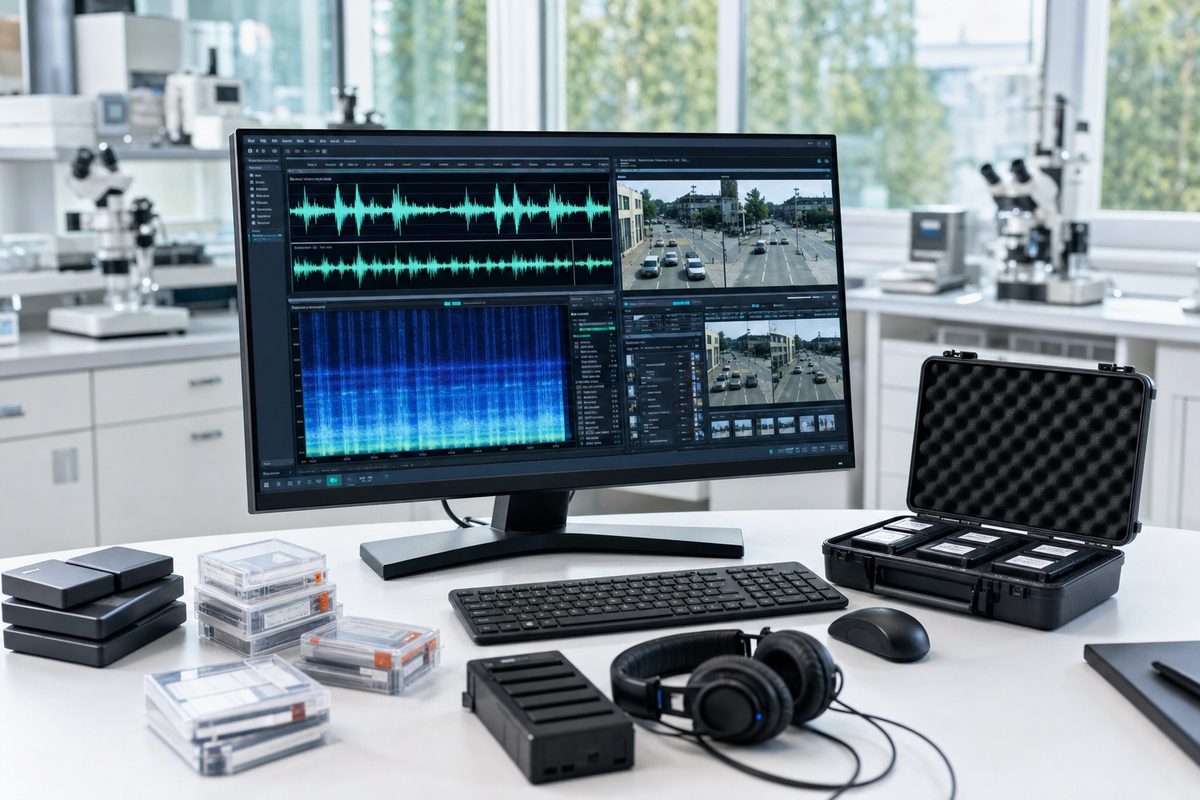
Edits that survive re encoding still disturb the signal. The detector decodes the recording and draws the waveform and the spectrogram so you can scrub to any point and hear it. Underneath, it runs four tests. Splice candidates come from discontinuities between adjacent short windows: a jump in the waveform that the surrounding samples do not predict, a break in the phase of the steadiest low frequency component, and a step in the background noise floor between the quiet moments before and after a point. A candidate that two or three of those tests agree on is listed as corroborated. The silence and offset profile lists every run below the silence threshold with its duration, marks runs of exact digital zero, which a microphone with a noise floor does not produce on its own, and tracks the direct current offset so a step between two recorders or two gain settings stands out.
The lossy history reading measures the frequency where the spectrum falls away and how sharply, because an MP3 or AAC encoder cuts the high frequencies at a level that depends on its bitrate, so a lossless file with a sharp cutoff has been through a lossy encoder, and a lossy file whose cutoff sits well below what its declared bitrate implies has likely been encoded twice. The electrical network frequency trace measures the mains hum at 50 and 60 hertz second by second and reports whether it is present, absent or inconsistent across the file, since a hum that jumps in frequency or phase at one point tells you two recordings were joined there. The trace is compared with itself, never with a utility grid record; matching a recording to a grid is laboratory work this tool does not perform.
Each result is an observation with a timestamp and a measurement, and none of them is a finding that a recording is authentic or that nothing was edited. Speech, music and room noise produce transients, silences and spectral changes honestly, which is why the candidates say where to listen rather than what happened. When a candidate matters to a matter, audio authentication by an examiner is the next step.
Align a second recording when you have one
When another recording of the same event exists, from a second phone, a call recording system or an earlier copy, the detector aligns the two on their loudness envelopes, reports the time offset and the relative speed between them, and lists the regions where they stop agreeing. A region that aligns before and after a point but not across it is where content differs between the copies. The alignment does not make the reference authentic; it tells you where the two recordings disagree so the examination can start there.
Your files and reports remain local
The selected recordings, file names, hashes, decoded audio, notes and report data never reach a server. Optional usage measurement stays off unless you allow Analytics. With permission it sends GDF only the tool name and fixed action labels, such as analysis completed or report prepared, never an input, result, filename or visitor identifier. Google and advertising scripts do not load on this page. Use Cookie settings below to change your choice. Program files, the parser and fonts download from this website; nothing about your recording travels with them.
Clear stops any running step and empties the results without touching your original file or a report you already saved. A saved report carries the file name, the hash and your notes, so read it before you share it.
Save the report
Download the PDF or HTML report in the Global Digital Forensics four section layout: the executive triage and file identity with the full SHA 256, the plain English interpretation guide, the structured findings inventory with every observation located by time and layer and your notes, and the evidentiary scope advisory with the beta notice. The Excel ready CSV gives one column per field and the JSON is the lossless record of hashes, container and codec records, the header scan, the declared and actual format comparison, every splice candidate and silence run, the lossy history and hum measurements, the alignment and the coverage. The PDF and HTML reports carry the waveform, the spectrogram and the hum trace as figures; no report contains the audio itself.
Formats and resource requirements
Containers, codecs and what the browser decodes
WAV and FLAC are read chunk by chunk and block by block from the bytes. MP3 frames, ADTS AAC frames and Ogg pages are scanned from the bytes, and the AAC, ALAC, Opus and Vorbis records inside MP4, M4A, WebM and MKV come from the container reader. Decoding uses the browser's own audio decoder, so an unusual codec or a damaged stream returns the records and the hash with the signal layer marked unavailable.
Proprietary dictation formats such as DSS and DS2 and the AMR files some phones write are identified where their bytes allow and otherwise named for the application that opens them. Keep original recordings unchanged: converting a working copy changes its bytes, its SHA 256 and its encoder record.
Each file is limited to 64 MiB and the signal tests cover the first 20 minutes of audio in one pass, recorded as coverage. The frame scan covers the whole file up to 400,000 frames. The spectrogram uses a 1024 sample window and a 512 sample hop, the splice tests use 23 millisecond windows at 44.1 kilohertz, the hum trace uses four second windows stepped one second apart, and the operation time limit is 120 seconds per stage. Limits stop work with an explanation rather than a shortened result.
Coverage is recorded, not assumed
Every result states what it examined. The header scan records how many frames it read and whether it reached the end of the file, the signal layer records the seconds it analyzed, the hum trace records how many windows carried a measurable tone, and the alignment records the fraction of the recording that matched. Detection accuracy on real world recordings has not been measured by GDF, so an unavailable, cancelled or quiet result is unknown rather than a finding that nothing was edited.
Neither the declarations nor the structure is relied on in isolation. Keep the original recording and the device that made it, work on copies, and bring the observations that matter to a matter to an examiner who can test them against the recorder and its settings. Tell us about a problem with the tool; the link attaches no selected file or report.
Related tools and methods
The Surveillance Video Tamper Check reads an exported camera clip in the same four layer pattern, Video Forensics gives the manual frame workbench, and Metadata Analyzer reads the properties of a wider range of files; reselect your file there, because inputs are never placed in links. When a matter turns on the recording, expert witness services begin with a full examination.
Local container parsing uses Mediabunny and browser decoding uses Web Audio. The methods follow the Scientific Working Group on Digital Evidence practices for forensic audio, the Audio Engineering Society forensic audio recommendation, the published research on electrical network frequency analysis and double compression detection, and the FLAC, Ogg Opus and ISO base media specifications the parsers read. These references describe the methods; they do not certify this tool. Version 1.0.0 beta. All free tools.
Free consultation
Does a recording need a full examination
When the declaration and the stream disagree, a splice candidate lands where the account says nothing happened or the hum trace breaks in one place, a senior examiner can tell you on the first call what the observations mean, which original files and device records to preserve and how to transfer them securely. Global Digital Forensics has supported counsel, auditors and security teams since 1992, and our examiners have testified in federal and state courts. Your recording and report are never attached.
Beta tool and owner notice. Audio Edit Detector is in beta and is not a replacement for an expert's analysis. Its results are observations from automated checks and must not be presented in any filing, proceeding or report as evidence without review by a qualified forensic examiner. Global Digital Forensics makes no warranty as to the accuracy or completeness of these results and will not testify to them unless formally engaged to conduct a full examination.
We want to hear what worked and what did not. Send feedback on the beta; the link attaches no file or report.
Reviewed by Joseph Caruso, Founder, CEO and CTO, CISSP. Last reviewed .